
Retail Store Operations with AI Video Analytics: Loss Prevention, Heat Mapping, and Customer Insights
AI video analytics is quietly transforming how modern stores run every day. It turns ordinary security cameras into smart sensors that support better retail operations management, stronger security, and a smoother shopping experience. For retailers dealing with theft, long queues, or blind spots in customer behavior, this technology is becoming a practical must-have rather than a futuristic extra.
This article walks through how AI video analytics helps with retail store operations in three big areas: loss prevention, heat mapping, and customer insights. The goal is to keep the language simple and show how you can apply these ideas in real stores.
Table Of Contents
- What does AI video analytics mean for retailers?
- Loss prevention and smarter theft detection
- Heat mapping and understanding store flow
- Real time queue detection and faster checkouts
- Customer behavior analytics and deeper insights
- Getting started with AI video analytics in your store
- The role of supporting software
- Bringing it all together
What does AI video analytics mean for retailers?
In simple terms, AI video analytics for retail uses computer vision to interpret what is happening in live or recorded camera feeds. Instead of just recording footage, the system can detect people, track movement, count visitors, spot queues, and flag unusual activity automatically.
The software sits on top of your existing cameras or works with new smart cameras. It constantly analyses video frames in the background and converts them into useful data. That data then appears on dashboards, heat maps, alerts, and reports that store managers can understand at a glance.
The real benefit is that you do not need extra staff to observe every corner of the store. The AI watches for you and tells you when something needs attention. Over time, this supports more efficient retail store operations with fewer blind spots.
Loss prevention and smarter theft detection
Shrinkage from theft, fraud, and mistakes is a silent profit killer. Many retailers only notice the impact at the end of the month when they compare stock to sales. AI powered loss prevention retail shrinkage tools focus on catching issues early and discouraging risky behaviour before losses mount up.
- A modern theft detection system examines patterns, not just single actions. Examples include:
- A person spending an unusually long time near a high-value shelf without picking up items to buy.
- Someone repeatedly places items in a bag or stroller in a way that does not look like regular shopping.
- An employee at a point-of-sale terminal scanning fewer items than are visible on the counter.
- Movement in storerooms, back doors, or restricted areas during odd hours.
When these patterns match your rules, the system sends an alert to the manager or security team. Staff can then approach the customer politely, offer assistance, or review the situation more closely. Often, the very presence of smart monitoring reduces the temptation for casual theft.
At a head office level, these insights feed back into overall retail operations management. Leaders can see which locations experience more incidents, which hours are most risky, and which layouts create blind spots. That information helps them decide where to add staff, improve lighting, change shelf arrangements, or update policies.
Heat mapping and understanding store flow
Guessing how shoppers move through a store is no longer enough. Heat mapping with video surveillance analytics gives a visual picture of where people actually go and how long they stay there.
The software turns video data into colour-coded maps. Warm colours show busy areas where customers gather or spend more time. Cooler colours show quiet spots that most shoppers ignore.
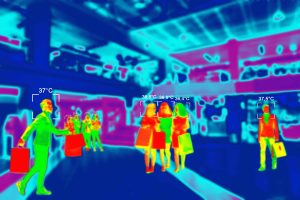
These heat maps reveal:
- Which entrances and paths attract the most traffic.
- Which product zones or promotional islands capture attention.
- Where bottlenecks form that may cause discomfort or safety concerns.
Store teams can use this information to redesign layouts. They might move top-selling or high-margin items into high-traffic areas, free up space near narrow aisles, or adjust signage so that customers notice important categories more easily.
From a daily retail store operations point of view, heat maps help answer practical questions. Are customers noticing the new display or walking past it? Is the seasonal section in the right location? Are checkout queues blocking access to popular shelves? Instead of relying only on intuition, managers can make layout changes backed by clear visual evidence.
Real-time queue detection and faster checkouts
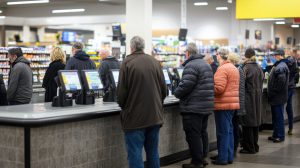
Nobody likes standing in a long line. Long waits at the till are one of the quickest ways to damage customer satisfaction and even lose sales. Real-time queue detection helps tackle this problem without constant manual monitoring.
The AI counts how many people are queuing at each checkout and can also estimate how long they have been waiting. When a queue passes a certain limit, the system sends an immediate alert. For example, if more than three customers are standing in line or if the average wait time crosses a set number of minutes, the store manager receives a notification.
Staff can then open an extra till, redirect customers to another counter, or send a supervisor to assist. The result is shorter waiting times, fewer abandoned baskets, and a smoother flow of customers in the front end of the store.
When this information is tracked over weeks and months, it supports better planning as well. Managers see which hours are busiest, which days need extra staff, and how well their interventions work. This is a practical way AI supports retail operations management instead of being a theoretical technology experiment.
Customer behavior analytics and deeper insights
Counting visitors is helpful, but modern retailers need to know much more. Customer behavior analytics powered by AI looks at how shoppers interact with the store environment, not just whether they entered.
Using advanced models, the system can estimate how many people walk into certain zones, how long they stay there, and how their paths change when you update displays or promotions. Combined with sales data, this reveals powerful patterns. For instance:
A large number of visitors stop in front of a premium snacks display but very few buy. That might mean pricing or messaging needs to change.
Families often visit a particular aisle but get stuck due to congestion. Moving shelves or widening the path might improve comfort and sales.
Many customers look at a new product launch stand but do not reach the trial area. Better sampling or staff engagement could make a difference.
Because all of this comes from existing cameras, it avoids the need for intrusive surveys or manual observation. The same setup that supports security now also improves merchandising and marketing decisions.
Getting started with AI video analytics in your store
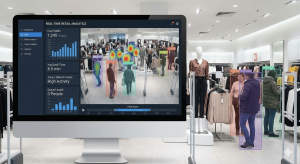
If you are considering these tools, it is best to start small and focused. Choose one or two priority problems, such as frequent shrinkage in a category or regular complaints about long waits at billing. Begin with a limited set of rules and a clear success metric.
Use existing cameras where possible so that initial costs stay under control. Work closely with your technology partner to set up realistic alerts. It is better to begin with a few accurate notifications than to overwhelm staff with constant pings.
Spend time training managers to read dashboards and reports. Technology only delivers value when people know how to respond. Encourage them to run small experiments, such as changing the position of a display or adding one more staff member during peak slots, and then track the impact using the analytics.
Once you see clear results in one branch or zone, you can extend the same approach to more stores. Over time, you will build a culture where decisions are made using facts gathered from smart store video analytics rather than relying only on gut feeling.
The role of supporting software
Behind all of this sits specialised Retail video analytics software that turns raw camera feeds into clean, useful information. The best solutions are designed for everyday retail users rather than only for technical teams. They offer simple interfaces, clear visualisations, and integration with existing systems such as point-of-sale or workforce management tools.
Some platforms also support cloud storage and central monitoring, which is particularly helpful for companies with many outlets. Head office teams can compare stores, spot unusual patterns, and roll out changes quickly.
All of this works alongside the traditional functions of video surveillance analytics, which still provide recordings for investigation and compliance. The difference now is that the same infrastructure also supports proactive improvement of store performance.
Bringing it all together
AI video analytics is not about replacing people on the shop floor. Instead, it acts like an extra pair of eyes that never get tired and can watch every aisle at once. It feeds store teams with timely information, so they can focus their energy where it matters most: helping customers, protecting inventory, and creating a pleasant shopping experience.
When used well, it supports smoother retail operations management, reduces loss prevention retail shrinkage, speeds up checkouts through real-time queue detection, and deepens understanding through customer behavior analytics. For retailers who want to stay competitive in a fast changing market, this combination of insight and action is quickly moving from optional to essential.

